

Tumpixel
Tumpixel
App Store Guide – Discover, Install & Manage Apps Easily
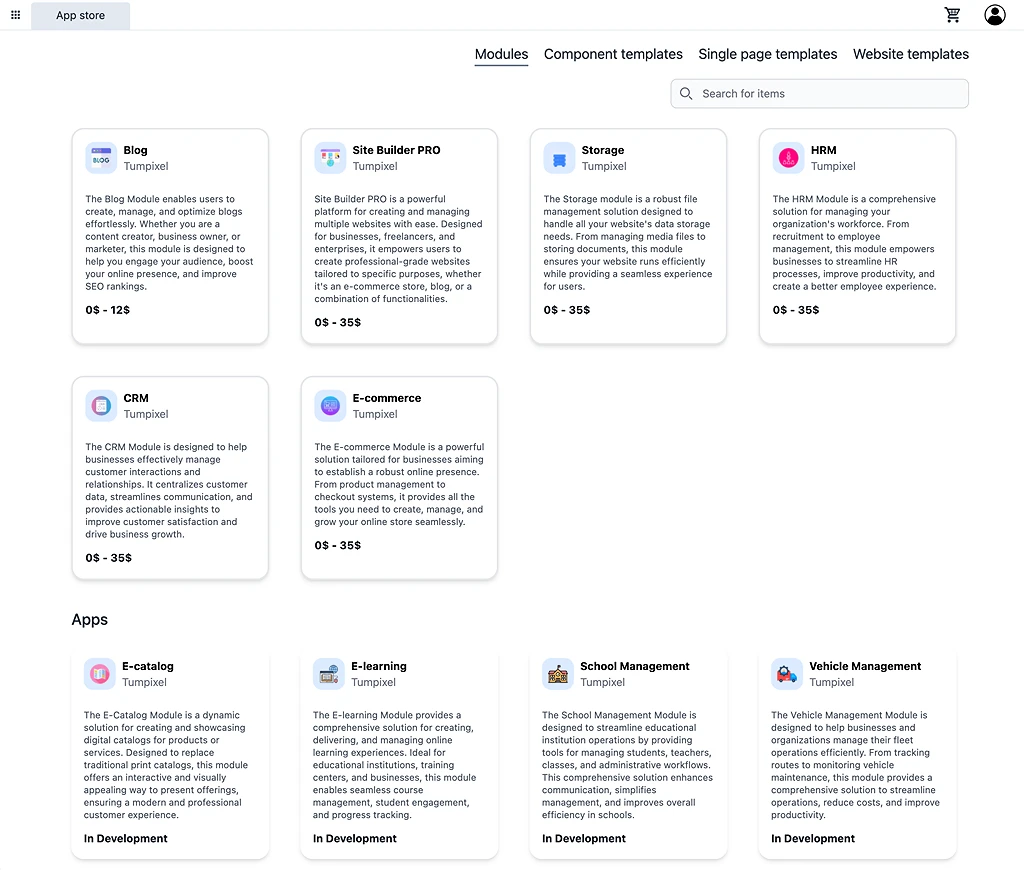
The App Store is where you build your website system using modules and templates.
You can start from:
A small component
A full page
Or a complete website
👉 Everything is composable and scalable.
🧭 Overview
The App Store includes 4 main parts:
Modules → Add functionality
Component templates → Build sections
Single page templates → Build pages
Website templates → Full websites
🌐 Multi-Website System (Core Concept)
🏗 Structure
Account
 ├── Website A (E-commerce)
 ├── Website B (Blog)
 ├── Website C (Landing page)
💡 How modules work across websites
You purchase a module once
Then install it into any website you want
👉 Example:
Blog module (1 license)
 ├── Website A → Installed
 ├── Website B → Installed
⚠️ Website limit
Depends on Site Builder Pro plan:
Default → 1 website
Upgrade → multiple websites
💰 Benefit
Save cost (no duplicate purchases)
Manage multiple businesses
Reuse same system across sites
🧩 1. Modules (Function Layer)
📦 What are modules?
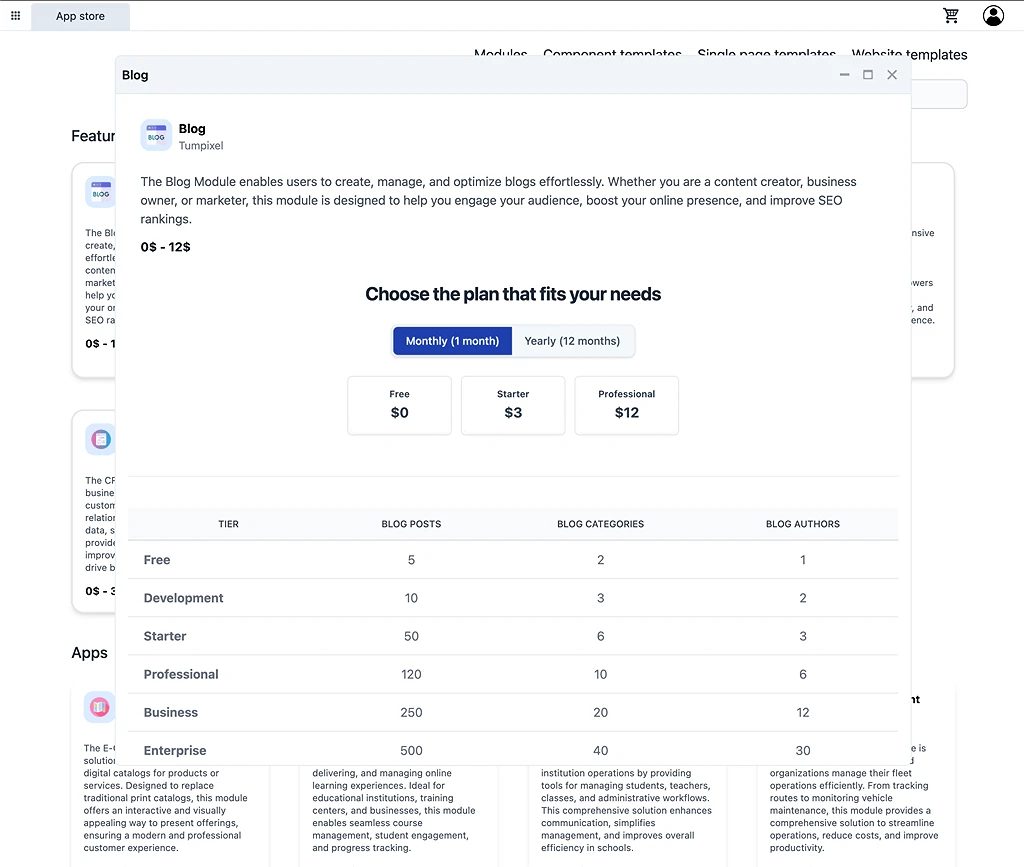
Modules provide data + business logic.
Examples:
Blog → posts, categories
E-commerce → products, cart, checkout
CRM → customers
HRM → employees
🆓 Free tier
All modules include a Free plan
Use for:
Testing
Learning
Exploring
⚙️ Install Module
🧭 Purchase flow
Modules are purchased and attached to your account, not directly to a website.
Flow:
Choose a module
Select a plan (Free / Paid tiers)
Add to cart
Checkout
👉 After checkout, the module is:
Linked to your account
Available for use across your websites (based on your plan)
📦 Module availability
Once purchased:
The module appears in your available modules list
It is not automatically installed into any website
🌐 Install module into a website
To use a module, you need to install it inside a specific website.
Flow:
Go to Website settings
Open Modules / Applications
Select from available modules (from your account)
Install into the website
🔁 After installation (per website)
When a module is installed into a website:
The system automatically:
Creates related pages
Sets up data structure
Configures routes
Example: E-commerce module
After installing into a website:
Product list page
Product detail page
Cart page
Checkout page
🔄 Reuse across websites
Since modules are linked to your account:
You can install the same module into:
Website A
Website B
Website C
👉 No need to repurchase
⚠️ Important notes
Modules are purchased at account level
Modules are installed at website level
Installation must be done manually per website
Website limit depends on your Site Builder Pro plan
💡 Summary
Purchase module → Account
        ↓
Available modules list
        ↓
Install into website (via settings)
        ↓
System generates pages + data
🧱 2. Component Templates (UI Layer)
📦 What are components?
Components are small reusable UI blocks
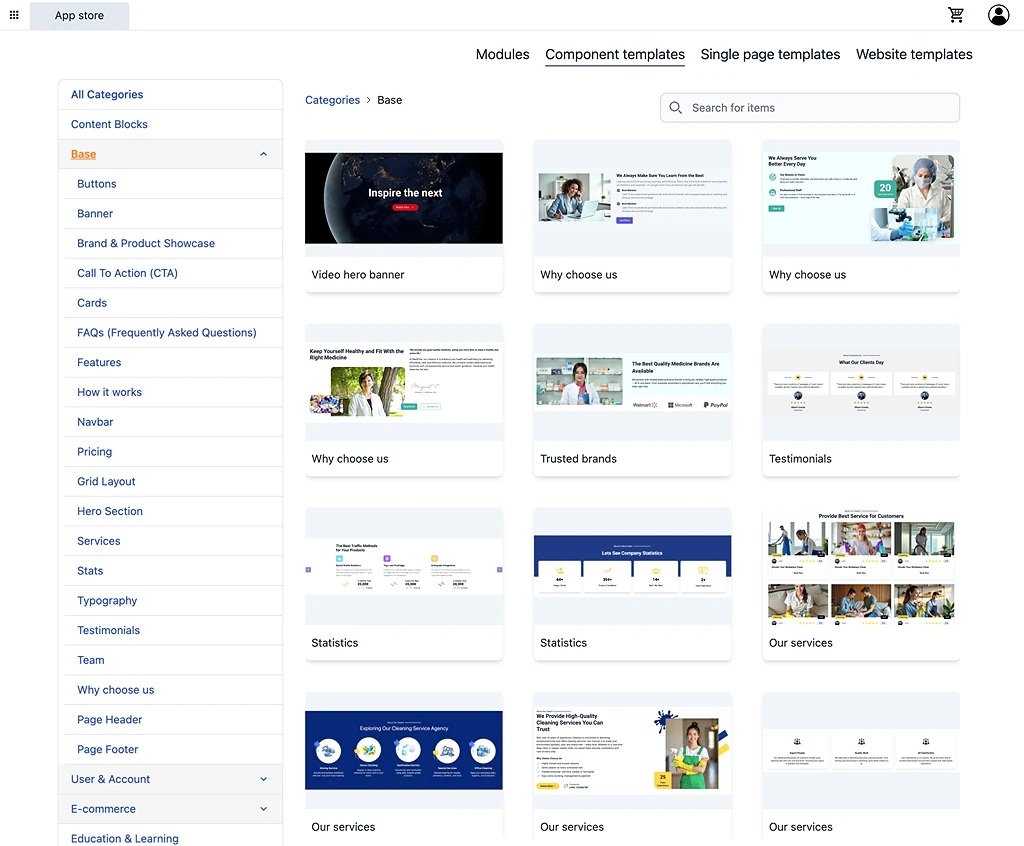
🧩 Examples
Hero section
Features
FAQ
Pricing
Testimonials
CTA
💰 Free & Paid
Free → basic components
Paid → premium design
🧠 Role in system
Components are the foundation layer
Component → Section of a page🔍 Browse & filter
Category (Hero, CTA, FAQ…)
Search
Preview
👁 Preview component
View design
Check responsive layout
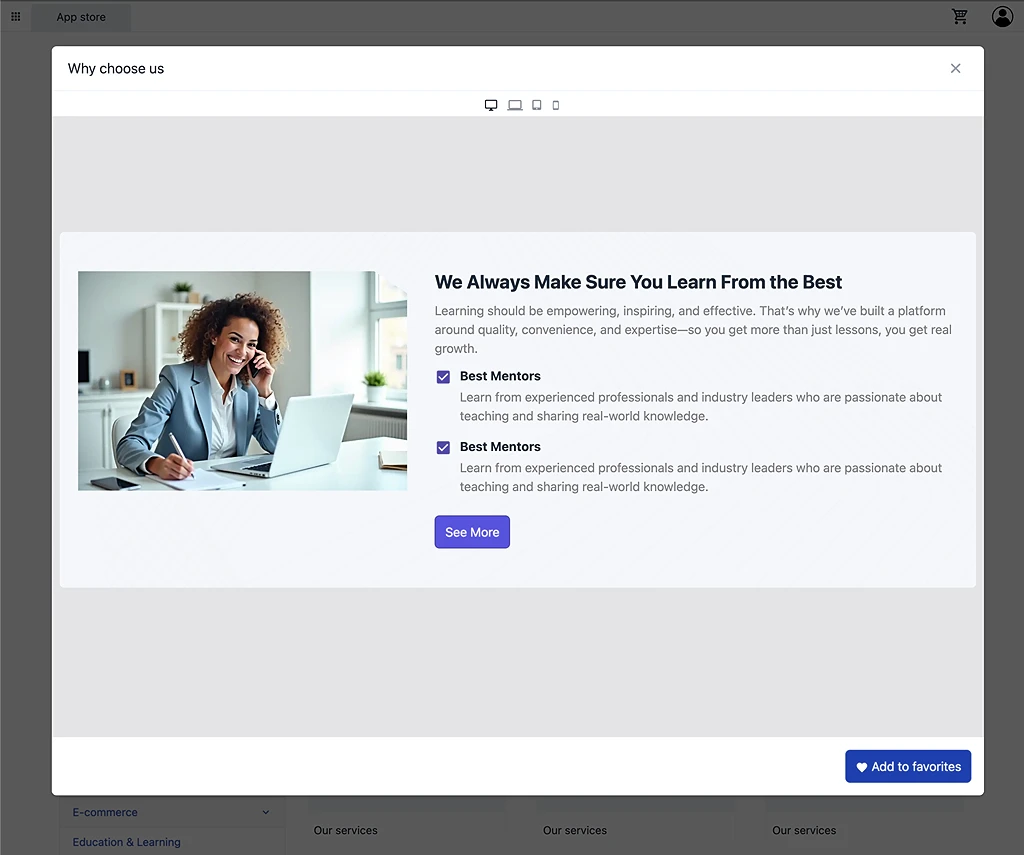
⭐ Add to favorites
Save component
Use later in builder
⚙️ Use in builder
Open builder
Drag component into page
Edit content
Customize design
💡 Advanced usage
Combine multiple components → create your own page
Reuse across multiple pages
📄 3. Single Page Templates (Page Layer)
📦 What are page templates?
Page templates are complete pages built from components
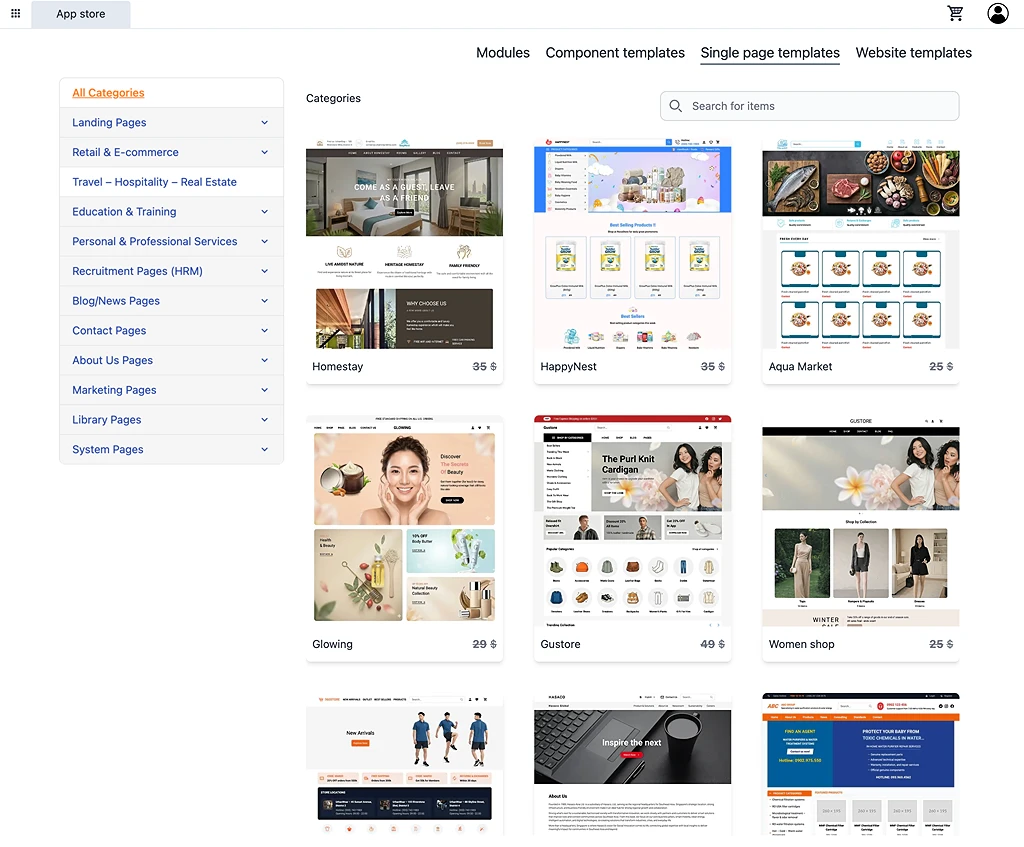
🧠 Important concept
Page template = multiple component templates combined🧩 Examples
Landing page
About page
Contact page
Blog page
Product page
💰 Free & Paid
Free → basic layouts
Paid → advanced design
⚠️ Module requirements
Some pages require modules:
Blog page → Blog module
Product page → E-commerce module
👉 This will be shown in preview
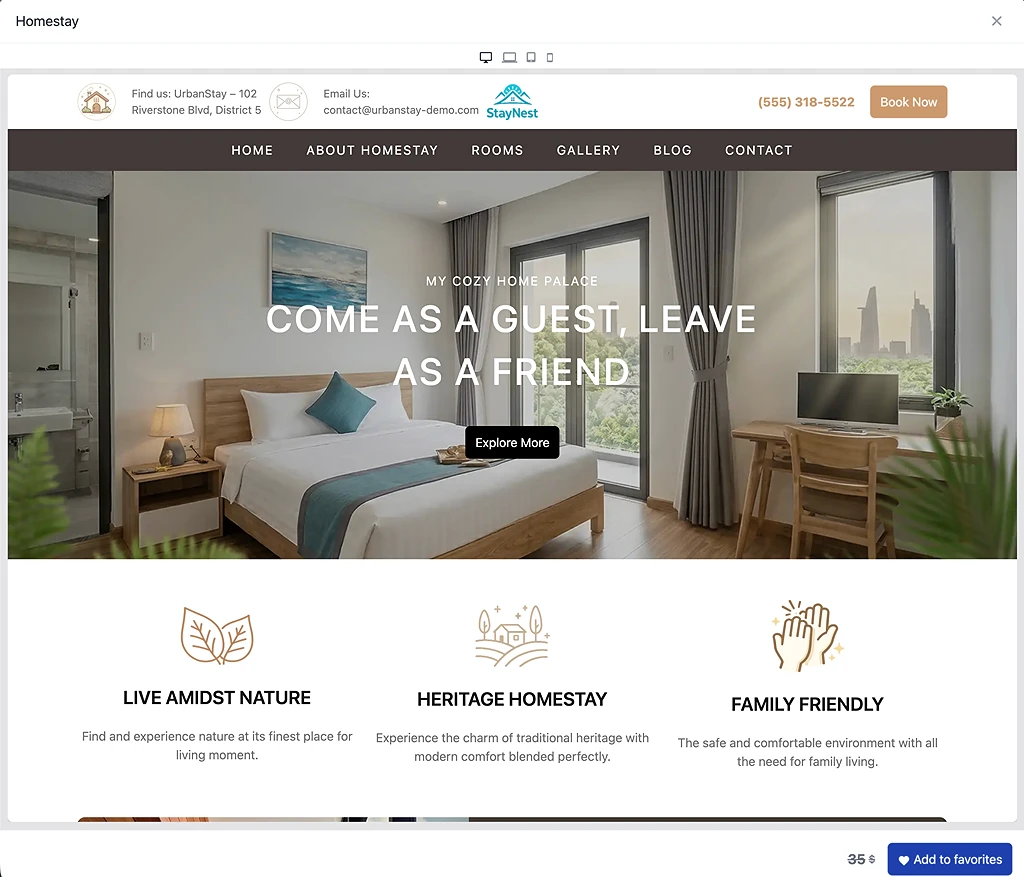
👁 Preview page template
View full layout
Understand structure
⚙️ Use page template
Select template
Apply to website
Edit content
🔁 Transform page → full website (important)
You can start with one page and expand:
Flow:
Page template
 → Add components
 → Create more pages
 → Install modules
 → Become full website
💡 Example
Start with:
Landing page template
Then:
Add About page
Add Contact page
Install Blog module
👉 You now have a full website
🌐 4. Website Templates (System Layer)
📦 What are website templates?
Website templates are complete website systems
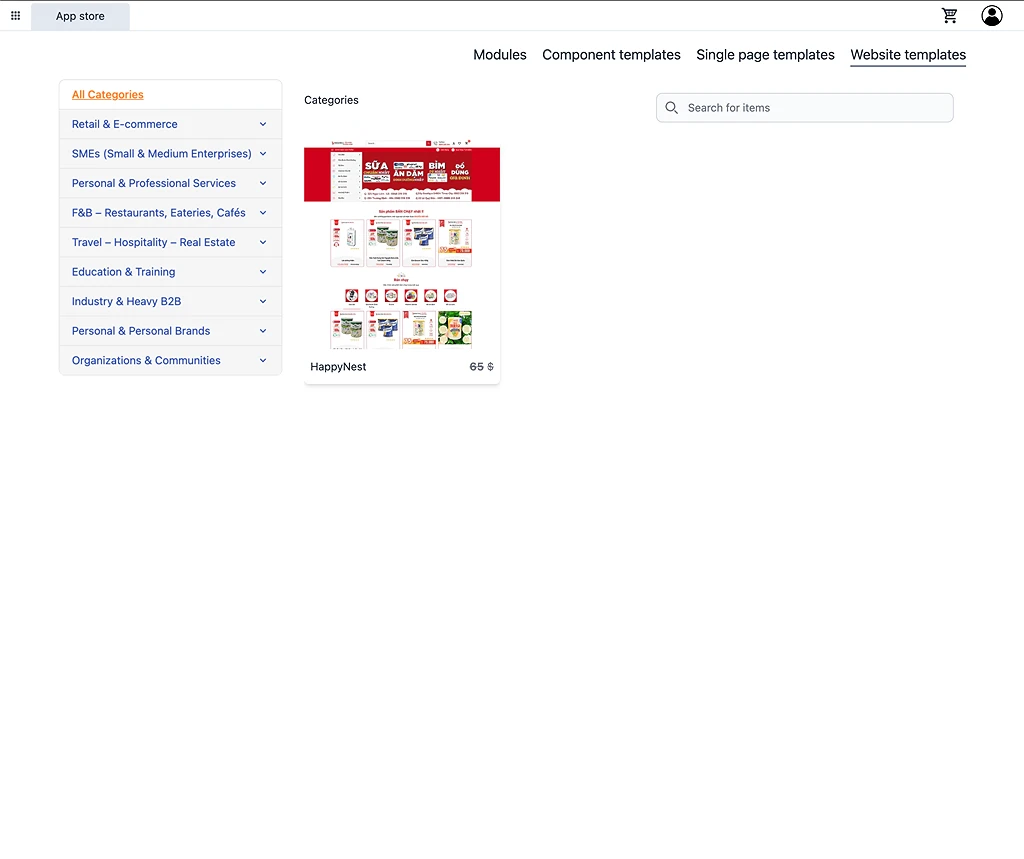
🧩 Includes
Multiple pages
Navigation
Layout structure
Design system
💰 Free & Paid
Free → starter websites
Paid → premium systems
⚠️ Module requirements
Some templates require modules:
Shop template → E-commerce
Blog template → Blog
👁 Preview website
View full website
Check pages and layout
⚙️ Apply website template
Select template
Apply to website
System auto-creates:
Pages
Structure
Demo content
🔁 After applying
You can:
Edit everything
Add new pages
Add components
Install modules
Change layout
👉 Nothing is locked
🔄 Full System Relationship
🧠 Architecture
Component templates → Sections
        ↓
Page templates → Pages
        ↓
Website templates → Full websites
        ↓
Modules → Data + business logic
        ↓
Account → Multi websites
🚀 Recommended Workflows
🟢 Fastest (Beginner)
Choose website template
Install modules
Edit content
Publish
🟡 Flexible (Recommended)
Choose page template
Add components
Create pages
Install modules
🔵 Advanced (Full control)
Start with components
Build pages manually
Connect modules
🟣 Multi-website business flow
Create multiple websites
Purchase module once
Assign to multiple websites
Customize each independently
💡 Best Practices
Use Free tier modules to explore
Start with templates → save time
Scale from component → page → website
Separate websites by business purpose
Reuse modules across websites
⚠️ Notes
Modules are installed per website
One module license can be reused
Website count depends on plan
Templates may require modules
Page templates are built from components
Website templates are fully editable
🎯 Final Concept
👉 Tumpixel is a composable + multi-tenant platform
Build UI → Components
Build pages → Templates
Build systems → Modules
Scale → Multiple websites